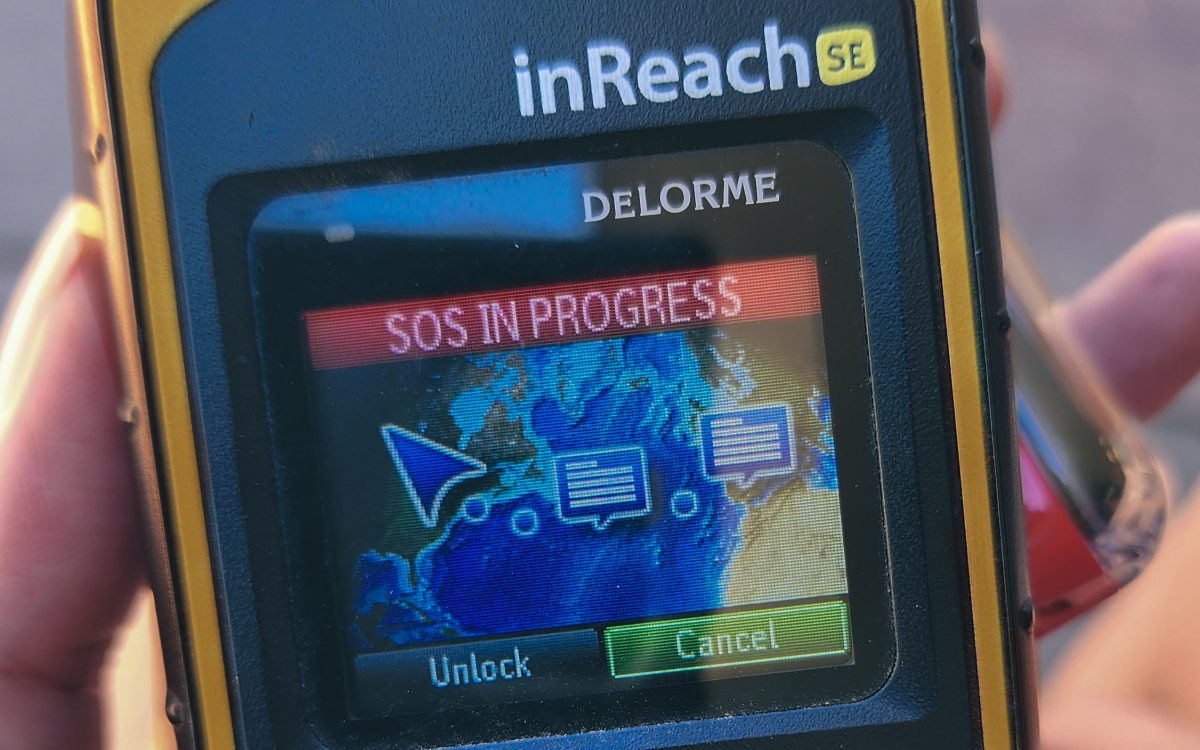
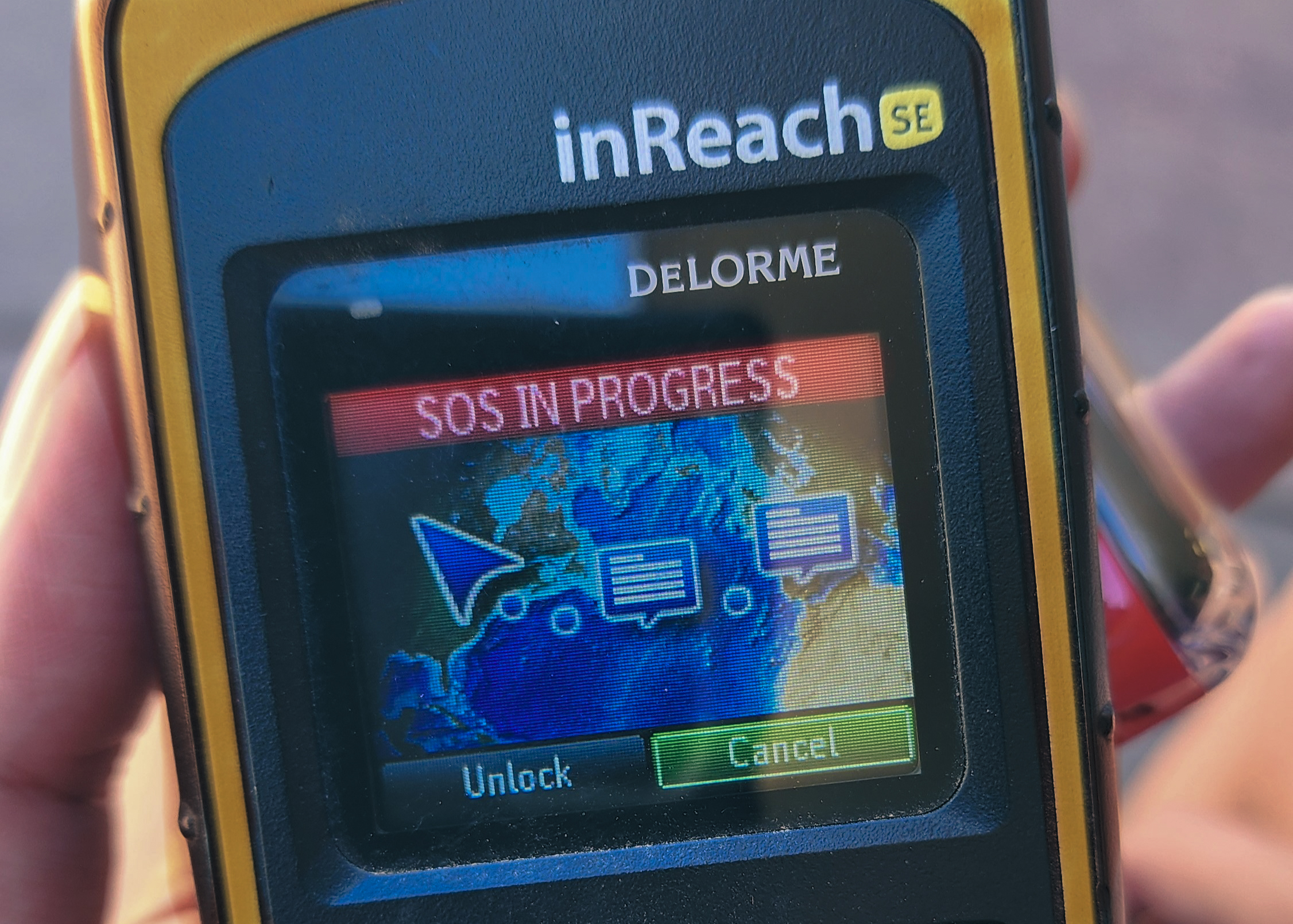
Over the past 10 years of owning the Garmin InReach (formally the Delorme InReach), I always considered it my lifeline during my adventures, if I ever needed to call for help. I often wondered what it might be like if I had to push the button and what the circumstances might be. Last weekend, I found out. But, the call wasn’t for me as I had imagined, and I wasn’t even out in the backcountry. While at a remote rest stop with no cell service, I encountered a man in severe distress from heat exhaustion, possibly heat stroke. With no other way to get help and no cell service, I pressed the SOS button on my InReach. What followed was a series of eye-opening experiences and lessons about the realities of emergency situations in remote areas. Here are 14 crucial things I learned when I pressed my SOS button.
The Garmin InReach - A Lifeline Out in the Backcountry
The Garmin InReach is a satellite communicator designed for those who venture into areas without cell service, such as hikers, off-roaders, and climbers. This device serves as a lifeline in emergencies, allowing users to contact help via satellites orbiting above the Earth. When an SOS signal is sent from the InReach, it is transmitted to the Garmin International Emergency Response Coordination Center (IERCC). Staffed 24/7, the IERCC coordinates with the best emergency responders for your situation, ensuring help reaches you as quickly as possible. The Garmin InReach is similar to the Garmin InReach Mini, the Spot X, and the ZOLEO, and works in similar ways.
1. It Takes a Long Time for Help to Arrive
If you are in a situation where you need to press the SOS button for help, you are likely in a remote area where it will take a considerable amount of time to reach you. Even if you are seemingly close to infrastructure, such as a road, emergency services will still need time to travel from the nearest town that has those services.
My SOS timeline:
- 3 minutes to be acknowledged by the IERCC call center,
- +11 minutes to coordinate and request help from local agencies,
- +11 minutes to confirm that EMS were on their way
- +37 minutes EMS arrival time
In total, it took 62 minutes from SOS kick-off to the time EMS arrived on the scene.
2. Long Delays Between Texts with the IERCC Call Center
Communication with the call center involved significant delays, with an average of ten minutes between texts. Our exchanges often arrived out of order, making it unclear whether my previous messages had been received. To ensure clarity, I repeated my texts so that my answers followed their questions.

3. Text Your Emergency Contacts Before Pressing the SOS Button
Before activating the SOS button, if possible, inform your emergency contacts via the InReach. I wasn’t entirely sure if the IERCC call center would contact my parents, who are my primary emergency contacts, because of the nature of the emergency: helping someone else rather than needing help myself. I decided to text my parents beforehand so there wouldn’t be panic or confusion in case they did call them. When I texted my parents, I informed them that I was hitting the SOS button because I had found a man in distress, that I was ok, and not to worry about me.
Twelve minutes after I activated the SOS, the IERCC did call my parents. They informed them that I had pressed the SOS button and asked for information about me, including my possible location, activities, and a description of me and my truck. My parents relayed the information I had already texted them, confirming that I was okay and needed help from someone else. The IERCC representative had not received this information yet. Despite my preemptive text, the call still made my parents a bit nervous because of all the questions the IERCC was asking, but they deeply appreciated the heads-up before they called them.
4. Inform BOTH of Your Emergency Contacts Before Pressing the SOS Button
While I did text my parents, I mindlessly forgot to inform my second contact, a dear friend who is well-equipped to support me in common situations I may be in. He is an avid outdoorsman, understands the backcountry, has resources to aid in rescue, and can rally additional support if needed. With only two emergency contacts allowed, having him as the main point of contact is like having access to a network of 100 people who can help.
As you can imagine, when he got the call, my friend immediately went into concerned mode and began formulating a response plan. By the time he received the call, updated information clarified that I had pressed the button to help a man in distress and that I was okay. Nevertheless, my friend texted me, asking if he needed to put out a call on Facebook to recruit someone to assist the man in distress. My friend was ready to act. Good thing he didn’t panic. But, I should have texted him beforehand, also.
5. It’s like texting a friend
Using the inReach to communicate with the call center felt surprisingly familiar, like texting a friend—albeit a friend who took about ten minutes to respond. I had expected the text exchange to be quick, very formal, and canned, but it felt more like a conversation with a real person. This human touch significantly eased my anxiety during the communication.
6. Internal Communication at IERCC May Be Slow
It seems that internal communication within the IERCC might not be very swift, based on the discrepancies in information provided to my two emergency contacts. There appear to be two separate internal entities: one managing inbound SOS signals and another handling outbound notifications to emergency contacts.
My parents were notified 12 minutes after I activated the SOS, but the call mainly served to inform them of the SOS and to request details about my whereabouts, description, and truck to aid in my rescue. In contrast, when my second emergency contact received the call, they were informed not only of the SOS but also that it was for someone else’s emergency and that I was okay. Keep this in mind as information may not be complete when calls are made.
7. Emergency Text Conversations Are Not Stored Under Messages Tab
Once the emergency was concluded, I wanted to view the text conversation, but it was not stored under the Messages tab. This led me to believe the emergency conversation was unavailable for debriefing and review. So, I wasn’t able to see time stamps and other information. Luckily, I took screenshots so I could easily review them later. But a few days later, I found the conversation under the History tab. This was a bit unintuitive.

8. There Are No Charges for Triggering an SOS
You can trigger an SOS for those around you without incurring personal charges for communicating with Garmin. You are only responsible for costs associated with your own rescue. Any fees incurred for aiding or rescuing someone else are charged to the individual for whom the SOS was triggered. Garmin does not charge for communication via the SOS button. However, charges from emergency services (sheriff, police, SAR, ambulance, hospital, doctors, etc.) that Garmin coordinates with during an emergency may apply.
As Dan Becker mentioned in his conversation with Chris, the HikingGuy, on their podcast-style video “If You Push the SOS, Will You Get Charged?,” Chris says, “You don’t pay for a rescue; you only pay for negligence.” For example, a helicopter ride out of the Grand Canyon is typically free, but once you are in an ambulance, the ambulance company will charge you for their services. Additional medical services, such as hospitals and doctors, will charge you for services while you are in their care. These charges are typically covered by medical insurance and are similar the the charges you may have from a car accident or a broken bone from a fall.
you only pay for negligence.”
9. Never Hesitate to Hit the SOS Button Due to Money Concerns
In emergency situations, time is of the essence. It’s better to be safe than sorry. Delaying could worsen the situation and necessitate a different type of rescue. Time is a crucial asset in emergencies, whether it’s a medical condition or the remaining daylight.
You can always communicate with the call center for advice and assistance. A backcountry rescue typically involves transport from the backcountry to a front-country location where an ambulance can take you from there. Usually, your medical insurance will cover the cost of the ambulance and your continued care.
10. Preparedness pays off
From all my training, preparation, and role-playing, I’ve prepared myself well throughout the years. The salt tablets I had were a great help in aiding the treatment of the man with heat exhaustion. I not only had them in my truck console and in my hiking pack, but I also had years of experience using them for myself and others. All items in your emergency stash need to be used, refreshed, practiced with, and understood. There’s no point in carrying band-aids if they won’t stick from being ruined or alcohol pads and ointment if they’re dried out. Refresh your consumable supplies at least every six months; so you might as well use them before they go bad. Think about common issues you may encounter during your adventures, prepare for them, and have related items on hand. For me, heat exhaustion and heat stroke are very common emergencies so carrying salt tablets is a must.

11. If I Had Known That It Would Have Taken So Long, I Might Have Taken the Man to the Hospital Myself.
If I had known it would take so long for help to arrive, I might have taken the man to the hospital myself. It took about 30 minutes for the EMTs to get the call, and the EMTs said it was a 30-minute drive to reach us. Then, it would take another 30 minutes for the ambulance to get to the hospital. Being right next to the highway, I thought the ambulance would arrive quicker than I could drive. Knowing what I know now, my decisions will be different in the future. If I can get myself or another person needing emergency attention into my truck, I’ll drive them to the hospital myself.
12. InReach Should Not Be An Alternative to 911
This experience taught me that the inReach is more advantageous for signaling search and rescue responses in hard-to-reach locations or needing helicopter extraction, rather than as an alternative to 911 when there is no cell reception. Calling for an ambulance in a city is not the same as calling for one in no-cell-service areas. In the city, an ambulance can reach the hospital faster than you can drive, but in no-cell-service areas, it’s different.
13. The InReach Can Be Useful for Roadside Assistance or Reporting Situations
The IERCC can be used for asking for advice and coordinating support. Garmin states that 12% of their SOS calls come from individuals needing roadside assistance while out of cell service. The inReach can also be used to report vehicular accidents or other situations that need support. Keep in mind that the arrival of support can take a long time. Be prepared ahead of time for any situation that may result in a long wait for help. Long wait times might involve the need to have food on hand, clothing for colder night temperatures, and entertainment, such as playing cards or a book to read. Also, text your emergency contacts beforehand so when the IERCC calls then, they won’t go into an unnecessary panic.
14. Consider More Strategic Emergency Contacts
After reconnecting with my parents following the ordeal, they told me the IERCC had contacted them. After giving it some thought, I’m not sure if this was the best plan of action for an emergency. This prompted me to reconsider my emergency contact strategy. Should my parents always be the first to know in an emergency? Perhaps a local contact familiar with typical situations I may be in or a close friend who can provide immediate assistance might be better suited. My parents may not have all the pertinent details or know what actions to take.
When selecting emergency contacts, prioritize the ability for your contacts to provide valuable support in an emergency. Close friends often have more current information about me and can offer more effective support compared to my parents, who may feel overwhelmed and unsure of what to do with emergency information.
Consider implementing a call matrix. A trusted friend or local contact can receive initial emergency calls and then notify others in the call matrix or tree, including my parents, with updated, useful, and actionable information. A trusted friend can rally up other friends who may be very familiar with the situation or the terrain and add valuable support. I plan to discuss this approach with my parents and friends to ensure the best response strategy. It’s a conversation worth having with your loved ones as well.
Conclusion
Reflecting on my experience, I realize how crucial it is to be prepared and to understand the tools at your disposal. Even though this was a low-key, controlled, low-stress, semi-urban emergency, I learned a tremendous amount about how the InReach communication system works. From the unexpected delays in communication to the importance of strategic emergency contacts, each lesson reinforced the need for thorough preparation and understanding of the nuances of the InReach communications during emergencies. This goes for any device that is used during emergencies. Whether you’re an adventurer or someone who simply might find themselves in a remote area without cell service, knowing how to use your equipment and having a solid plan can make all the difference. My encounter at that remote rest stop showed me how the Garmin InReach actually works and the importance of being ready for anything. Stay safe, stay prepared, and remember—sometimes, the best tool you have is the knowledge and readiness you bring to the situation.